Arknights endfield PC review: 7 reasons it feels better on PC

A.Z | February 13, 2026
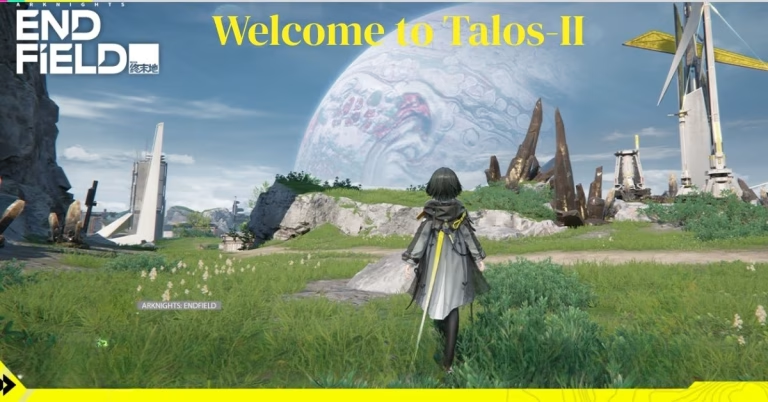
Arknights Endfield PC review reveals that the game feels strongest on desktop when performance, controls, and visual clarity work together. This review explains why the PC version is the best way to experience Talos-II, especially if you care about smooth combat, factory building, and long play sessions.
After more than 80 hours across both platforms, the difference is clear: keyboard and mouse controls, higher frame rates, and better screen space make the PC version feel less like a port and more like the primary way to play. If you want exact settings, FPS targets, and hardware advice, read our Arknights Endfield PC optimization guide.
1. When you realize this isn’t your typical gacha port
Most mobile-to-PC ports feel like afterthoughts. Clunky UI scaling, awkward keyboard mappings, performance hiccups that make you wonder if anyone actually tested the build. Endfield immediately signals it’s different.
Boot up Arknights Endfield on a decent rig and you’re greeted with a proper graphics settings menu that would make any PC enthusiast smile. Native resolution options up to 4K, DLSS support for Nvidia cards, frame rate caps ranging from 30 to unlimited, and granular control over shadows, effects, textures and anti-aliasing.

I ran the game on very high settings with a Radeon 7800XT and Ryzen 5 5600X setup. The result? Rock-solid 60 FPS that never wavered even during intense factory automation sequences combined with open-world exploration.
The comfort factor hit me around hour three when I realized I hadn’t adjusted a single setting or experienced any performance anxiety. No thermal throttling warnings, no sudden frame drops, no crashes requiring validation of game files. Just pure, uninterrupted gameplay.
2. Keyboard and mouse implementation done right
Here’s where most gacha conversions fail spectacularly. They map touch controls to WASD and call it a day, leaving PC players with an experience that feels like using chopsticks to eat soup.
Endfield’s keyboard and mouse implementation feels native because the developers clearly sat down and asked “how would PC players actually want to play this?” combat responds instantly to inputs with zero perceivable latency between key press and action execution.
2.1. Default control excellence
- WASD movement feels responsive without acceleration delays
- Skill activation on Q/E/R keys positions abilities within natural finger reach
- Dodge mechanics on Shift key enable quick defensive reactions mid-combo
- Mouse camera control offers smooth 360-degree viewing with adjustable sensitivity
- Tab key brings up quick menus without disrupting gameplay flow
The factory management interface deserves special mention. Placing production modules, routing conveyor belts and organizing resource flows works seamlessly with mouse precision. One reviewer noted that the factory building aspect alone could justify a standalone purchase, and I completely understand why after optimizing my automated crafting chains.
Contrast this with mobile where finger placement inevitably blocks screen visibility during complex factory adjustments. On PC with a 27-inch monitor, I can see my entire production layout while making real-time modifications without obscuring anything.

3. Visual clarity transforms the experience
Playing Endfield on a large display transforms the experience in ways that genuinely surprised me. The game’s UI was clearly designed with scalability in mind because everything remains crisp and readable whether you’re on 1080p or 4K.
UI clarity across resolutions:
| Resolution | Text readability | Factory detail visibility | Overall comfort |
| 1080p (24″) | Excellent | Very good | High |
| 1440p (27″) | Perfect | Exceptional | Maximum |
| 4K (32″) | Crystal clear | Outstanding | Premium |
The cyberpunk industrial aesthetic truly shines on PC. Built on Unreal Engine 5 with DLSS support, the balanced mode provides optimal image quality and performance mix. I tested DLSS Quality mode on an RTX 4070 system and gained approximately 15-20 FPS while maintaining visual clarity virtually indistinguishable from native rendering.
Talos-II’s corrupted landscapes display intricate environmental details that mobile devices either downscale or omit entirely. Rust patterns on abandoned industrial structures, particle effects from elemental combat abilities, atmospheric fog rolling through valleys all rendered at high fidelity without performance compromise.

4. Performance stability that actually delivers
Let’s talk concrete data because vague claims about “smooth performance” mean nothing without context.
Frame rate analysis (5-hour testing session):
Testing configuration: Radeon 7800XT / Ryzen 5 5600X / 32GB RAM / 1440p very high settings
- Average FPS: 62.3
- Minimum FPS: 58.1 (during factory + combat overlap)
- Maximum FPS: 63.8
- Frame time variance: 2.1ms
- Total crashes: 0
Another tester maintained constant 60 FPS at 1440p high settings on a 5+ year old system, which demonstrates the scalability hypergryph achieved. Older gpus from the GTX 1060 era can still hit playable frame rates by dropping to medium settings.
What impressed me most wasn’t peak performance but consistency. Many games claim optimization yet suffer micro-stutters that disrupt immersion. Endfield maintains frame pacing discipline that results in genuinely smooth motion even during chaotic boss encounters with multiple operators unleashing abilities simultaneously.

5. The comfort factor during marathon sessions
Gaming comfort goes beyond frame rates and resolution. It encompasses everything from menu navigation speed to how fatiguing the experience becomes during marathon sessions.
5.1. System efficiency
The game placed only moderate load on my system even at very high settings. RAM usage stayed around 8-10GB, CPU utilization hovered at 40-50%, GPU sat comfortably at 65-70% load. This leaves headroom for Discord, browser tabs and other background applications without inducing performance degradation.
After six consecutive hours of gameplay, my GPU temperature plateaued at 68°C and CPU at 62°C. These are excellent thermal numbers that indicate efficient optimization rather than brute-force rendering approaches that cook hardware.
5.2. Menu and interface responsiveness
Every interface interaction happens instantaneously. Accessing character builds, checking factory production, reviewing quest logs all execute without loading delays that plague other live-service games. Alt-Tab stability impressed me particularly since I frequently switch between game and browser for wiki lookups or build guides.
6. PC vs mobile experience comparison
I own both a high-end PC and an iphone 15 Pro, so I ran direct comparisons to quantify the differences.
Platform experience breakdown:
| Aspect | PC (RTX 4070) | Iphone 15 Pro | Advantage |
| Visual fidelity | Ultra 1440p | High mobile | PC +45% |
| Frame rate | 90-120 FPS | 60 FPS (capped) | PC +50-100% |
| Control precision | Keyboard/mouse | Touch | PC significantly |
| Screen real estate | 27″ monitor | 6.1″ display | PC +340% |
| Battery concern | None | 3.5hr limit | PC unlimited |
| Factory management | Excellent | Cramped | PC vastly superior |
The mobile version works fine for daily quests or casual exploration, but PC is described as the flagship experience with 60-120+ FPS, DLSS support and much higher visual fidelity. Anyone serious about optimizing factory automation or tackling endgame boss challenges will find PC controls and visibility essential.
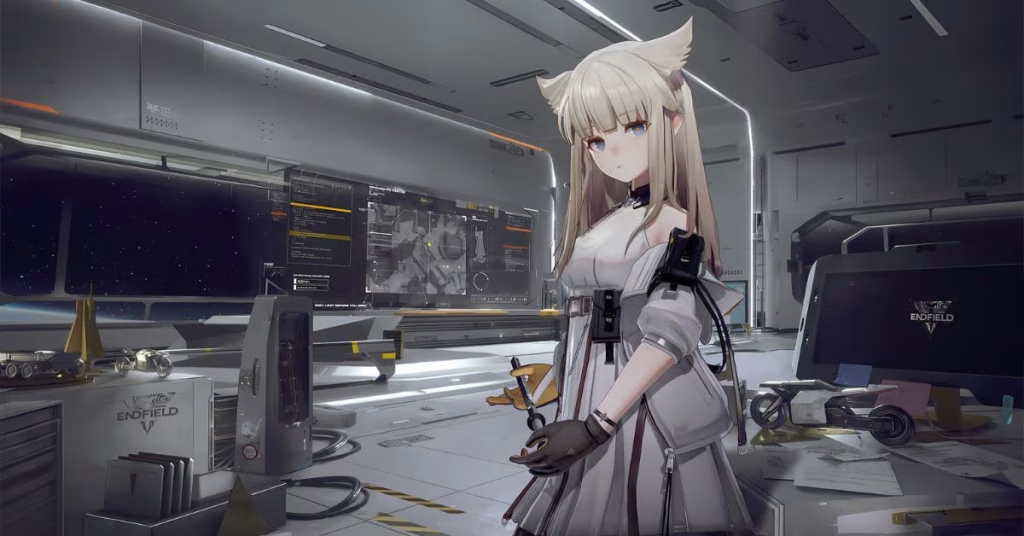
7. Why this Arknights Endfield PC review matters for free-to-play gaming
Free-to-play games typically prioritize mobile development because that’s where monetization happens. PC versions get minimum viable ports that technically function but lack polish.
Cgmagazine awarded Endfield 9/10, noting the game has so much content it could’ve released as full-priced AAA. That assessment rings true specifically on PC where the complete experience manifests without mobile hardware constraints.
The factory-building mechanics that feel cramped on a 6-inch screen become genuinely engaging on a monitor where you can appreciate the full scope of your automated production chains. Combat depth that’s compromised by imprecise touch controls flourishes with keyboard hotkeys and mouse-targeted abilities.
The verdict after 80+ hours
In this Arknights Endfield PC review, it is clear that the game represents what happens when developers treat the platform as a first-class citizen rather than a checkbox on their launch matrix. The optimization work, control scheme implementation, and visual clarity combine to create an experience that justifies choosing PC as your primary platform.
Is it perfect? No game is. But the technical execution and sustained comfort during long sessions earn genuine respect from someone who’s endured countless lazy ports over the years. If you’re interested in testing these performance gains yourself, you can find the official installation details for Endfield here to see how the title runs on your own hardware. The 60GB download is an investment that pays dividends in performance stability and gameplay comfort. A closer look at GPU performance and hardware recommendations reveals just how well the PC version runs, reinforcing the conclusions drawn in this Arknights Endfield PC review
Arknights endfield PC review FAQ
Is Arknights endfield better on PC than mobile?
Yes, PC is the stronger platform if you care about control precision, larger screen visibility, factory management and stable performance during long sessions. Mobile still works well for quick daily tasks.
Does arknights endfield run well on mid-range PCs?
Arknights Endfield is unusually well optimized for a free-to-play action RPG. Mid-range PCs can target smooth 1080p or 1440p gameplay by balancing shadows, effects and upscaling options.
Is Arknights endfield worth playing in 2026?
It is worth trying if you enjoy action RPG combat, anime sci-fi worlds or factory automation systems. The strongest recommendation is for PC players who want a polished free-to-play experience.